A useful accessory removes a specific obstacle. It might let you record a chosen video format, carry a camera comfortably or keep it steady for a long exposure. Build the kit around those jobs rather than filling a shopping basket with items described as essential for everyone.
Get memory-card compatibility right
Read the camera manual for the card format, supported capacity and speed requirements of the mode you intend to use. A card that physically fits may still be unsuitable. Different slots on one camera can also have different capabilities.
Capacity tells you how much a card can hold; speed markings describe other characteristics. For recording, sustained write performance matters. The largest transfer figure on the packaging may describe read speed, which is useful for transferring files but does not establish recording suitability.
Match the required speed-class symbol and supported interface, rather than assuming one card is suitable for every form of 4K video. Check the card reader and computer connection too: the transfer chain can limit the benefit of a faster card. Follow the camera manufacturer’s instructions for formatting, after safely copying any files you need.
Plan a compatible power setup
Check the exact battery model and the charging equipment included with your camera. If you need a spare, confirm compatibility and buy through a traceable seller. Read the manufacturer’s battery and charging safety instructions.
A USB-C socket alone does not establish that every charger, cable or power bank supports charging or continuous power. Manufacturer requirements can distinguish the power protocol, output and cable capability, as well as whether a function works with the camera on or off. Check the model’s manual before buying a power accessory.
Protect the kit you actually carry
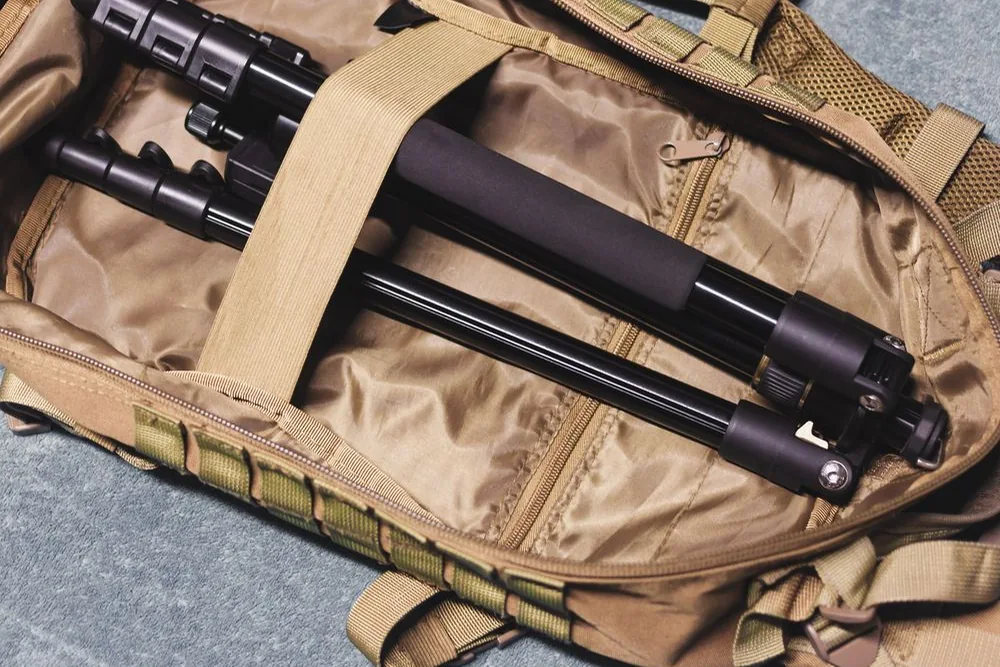
Choose a bag around your camera with its usual lens attached, plus the small items you regularly use. Check internal dimensions and access, rather than judging only the exterior or the number of compartments. Leave room for lens caps and any larger hood.
A strap should attach securely using the equipment’s intended fixing points. Check the instructions and inspect the attachments during use. For wet conditions, read the camera, lens and bag’s individual limitations; do not treat an outdoor appearance as a waterproof guarantee.
Buy support for a specific job
A tripod is useful for keeping a composition steady during long exposures or careful framing. Check the combined camera-and-lens weight, the tripod and head specifications, working height, folded size and whether the necessary head and plate are included.
Consider stability at the height you will use, not just the maximum height. Canon’s setup advice recommends using the thicker leg sections first and limiting excessive centre-column extension. Consult your camera and lens instructions for stabilisation settings on a tripod, because the appropriate setting can vary.
Choose filters by purpose and fit
A neutral-density filter reduces incoming light, which can help when you want a longer exposure in bright conditions. A circular polariser can reduce some reflections. Neither is an automatic improvement to every image.
Confirm the lens’s filter thread diameter in its specifications; this is separate from its focal length. Check the intended filter arrangement and whether additional holders or rings are needed. Stacking filters can create unwanted effects such as darkened corners, so buy for a particular use rather than the largest bundle.
Add specialist equipment gradually
Before buying a microphone, flash or remote, check the camera’s exact connections and supported functions. Similar-looking plugs or shoes do not establish full feature support. List the problem an accessory will solve and confirm every item needed to use it.
Compare exact models, included parts, warranty and delivery-inclusive cost. Our price comparison guide provides a reusable checklist. These are researched buying considerations, not claims that LensOffers has tested particular accessories.
Sources and further reading
- SD Association: speed classes and device matching
- Sony: model-specific USB cable and power requirements
- Canon: stabilising a camera on a tripod
- Nikon: lens filters and filter size